The problem
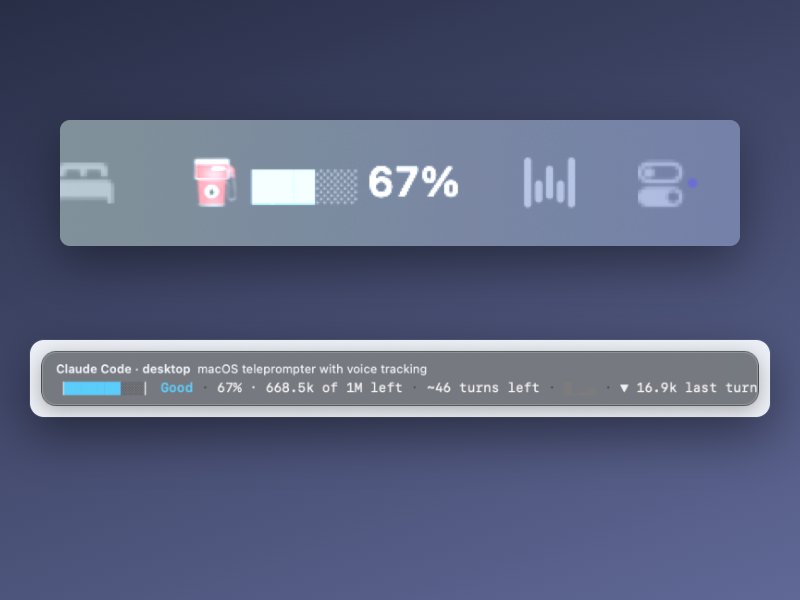
Context runs out silently. The Claude desktop Code tab ignores the status-line setting, so there was nowhere to put a gauge, and chat apps keep no token counts at all.
What I did
- v0.1: a status-line gauge with a 10-cell fuel bar, turns left, a 12-turn chart, and a "Refueled" notice after /compact.
- v0.2: a floating pill on the Claude window, because the desktop Code tab ignores status lines.
- Fixed the window size. Opus 5 sessions have a 1M window, so assuming 200k made the gauge wrong by 5x.
- Tore it all down and ran a feasibility review with one rule: exact sources only. Claude Code and Codex log real token counts, chat apps don't, so chat apps are out.
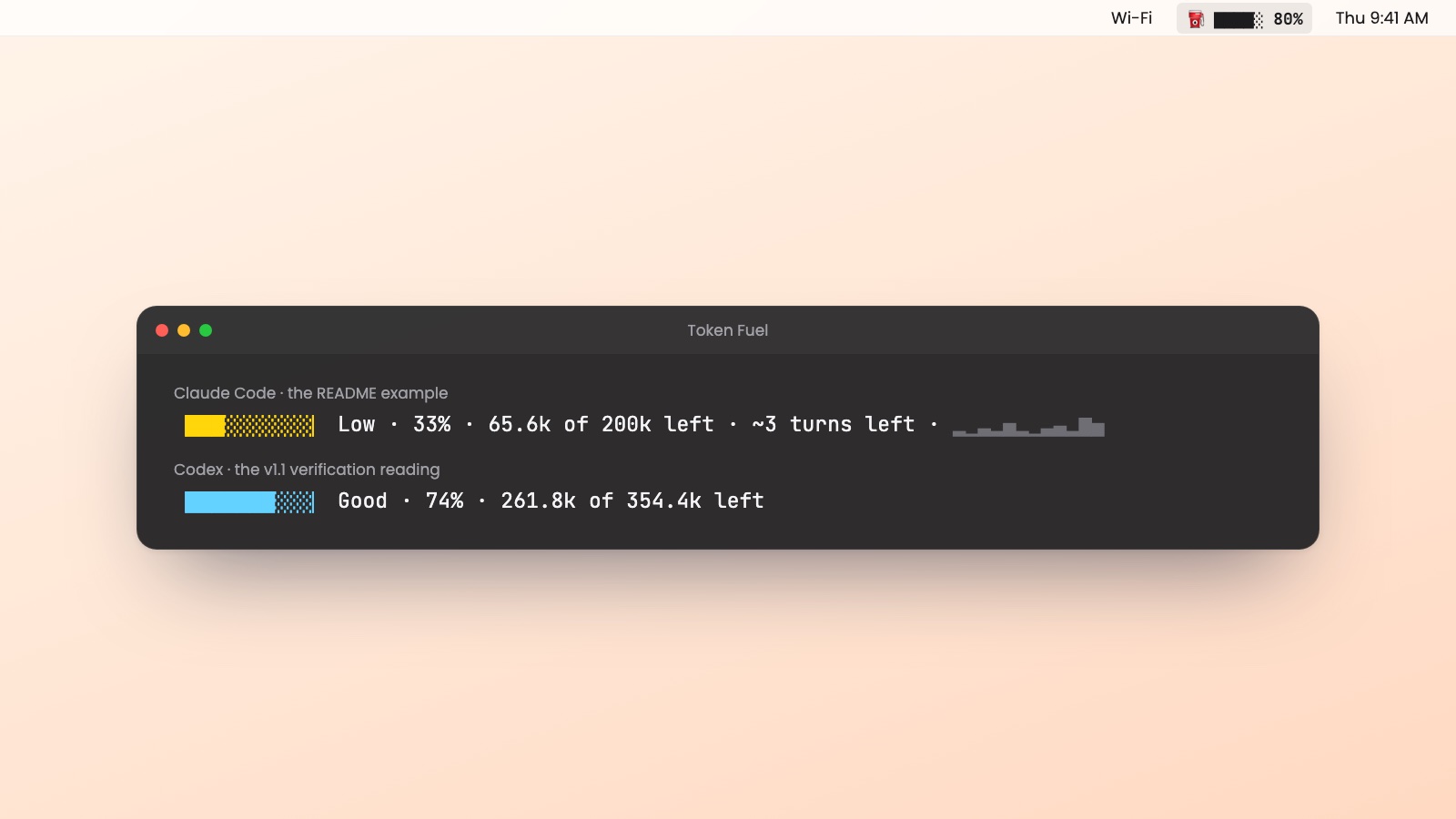
- v1.1: rebuilt as a native Swift menu-bar app with a floating window. Live every 2 seconds, across Claude Code and Codex, launched at login, restarted after a crash.
Results
2tools gauged from exact logs
2 secrefresh, near 0% CPU
~40MBmemory
12turns charted per session
Checked against the logs themselves: the numbers match what each tool records.
What I'd do differently
Write the acceptance checks before the build. One rebuild looked done but wasn't. The menu-bar icon hid behind the MacBook notch, the window never updated, and it counted output tokens as context. A checklist drawn from the milestones would have caught all of it on day one.
Artifacts
A native Swift app with a README that records every milestone: what changed, why, and the tradeoff.