
The problem
From injuries to amputations, pets' routines get rewritten around their bodies. Our research kept surfacing the same scene: an injured dog struggling to lean down to a bowl.
The back story is personal — watching my dog recover from a neck injury and strain to eat, I kept thinking there had to be something better than propping the bowl on books.
What if the bowl came to the dog, and the owner could control it from their phone?
The assignment was to apply human-centered computing methods to a hypothetical product in the topic space of pet feeding, care, or exercise. Everything shown here was designed by me unless noted.
Process
Reaching consensus
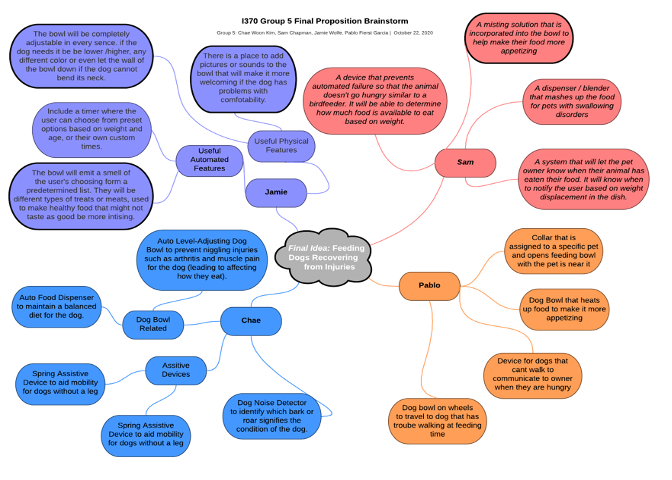
We opened with a KJ-technique brainstorm to converge on a topic, then layered in secondary research: guides on handling pet injuries and on helping older dogs with arthritis and mobility problems. A recurring insight — small adjustments (anti-skid mats, grippy socks) often matter more than heavy assistive devices — pushed us toward a simple, single-purpose product.
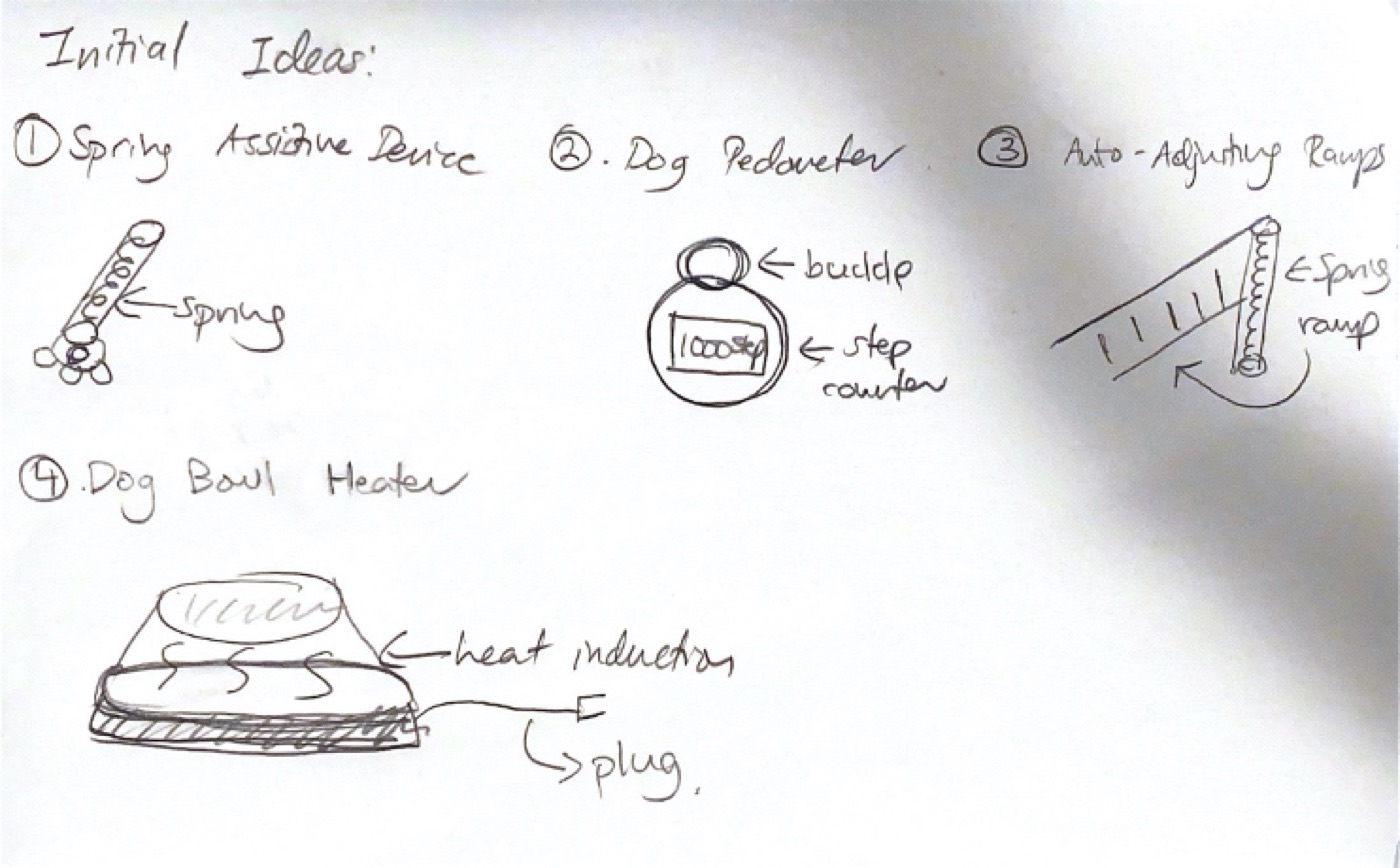
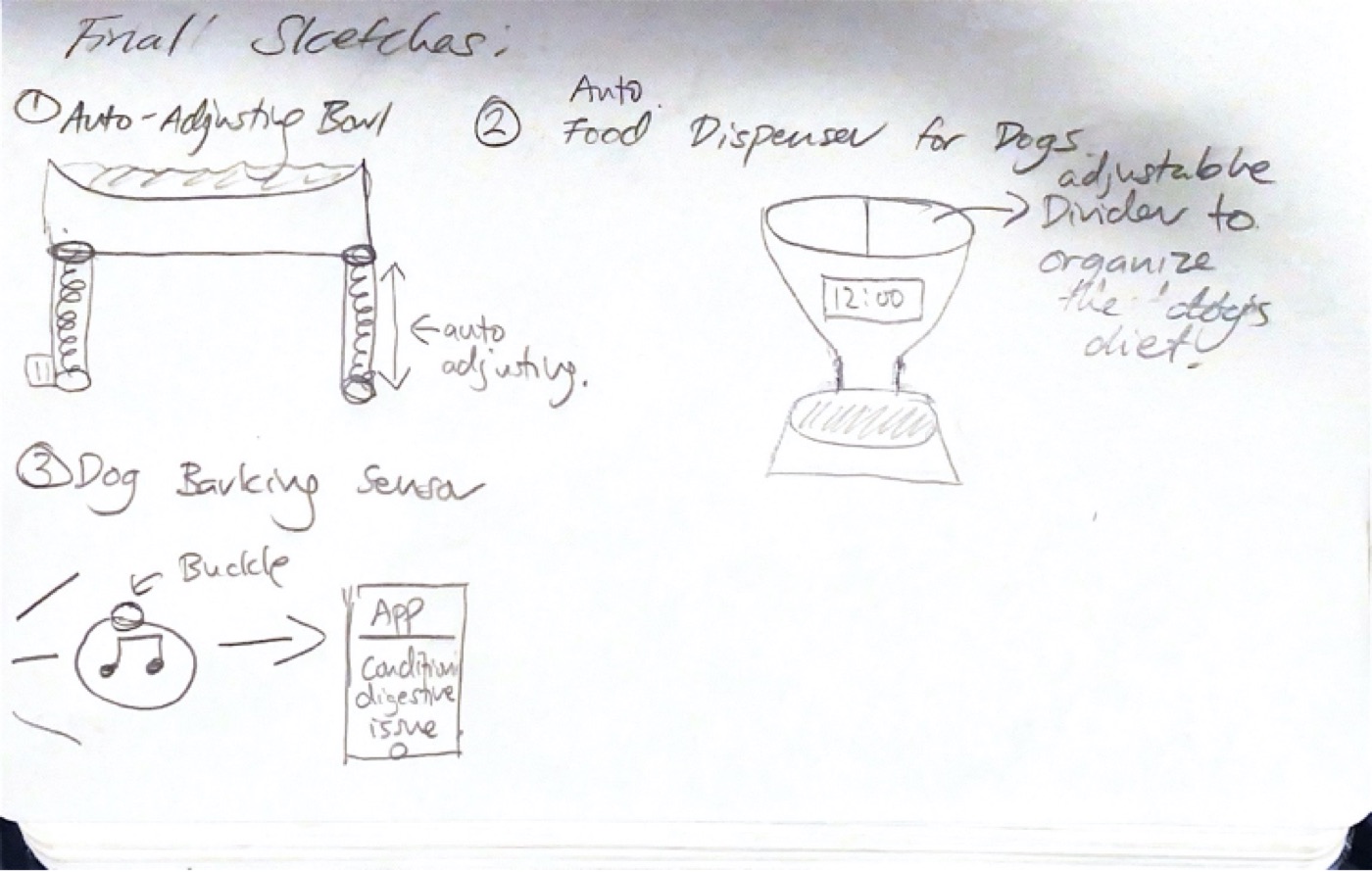
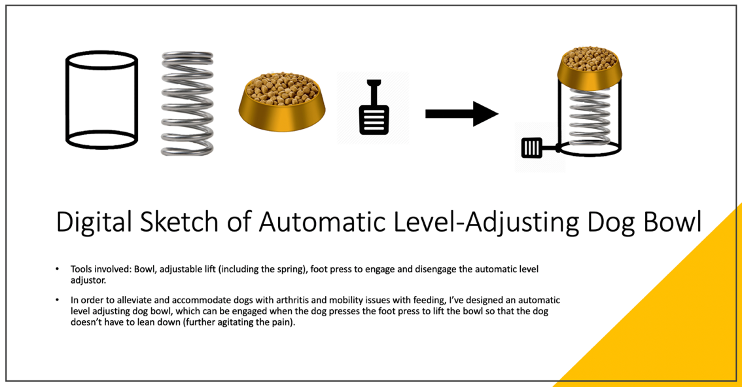
Sketching
Paper wireframes
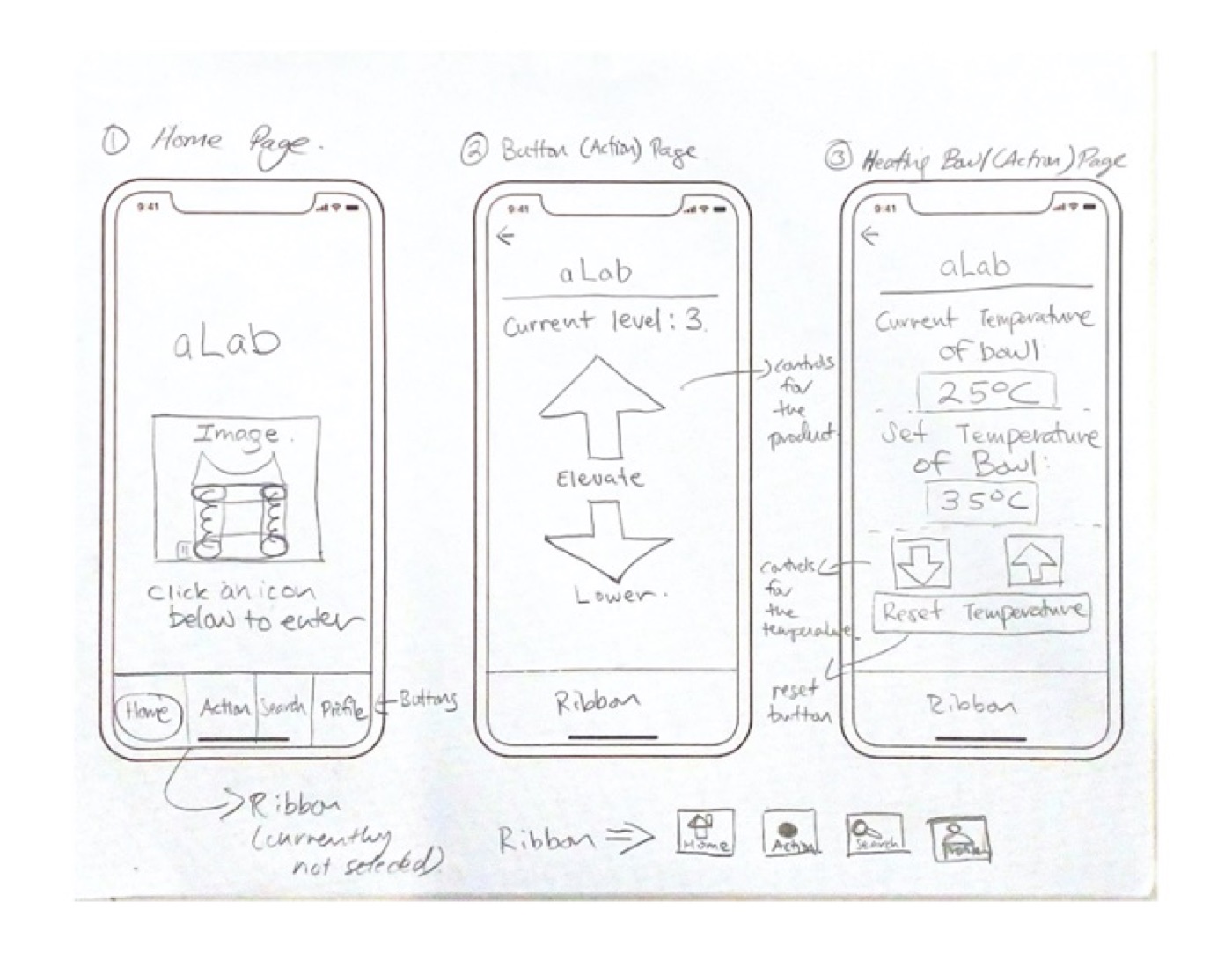
From personas and storyboards we moved to low-fidelity paper wireframes for the home, action, FAQ, tips, profile, and recipe pages.
Solution
The final digital prototype (Adobe XD) demonstrates every function of the physical bowl: raise and lower it, set and reset food temperature, and keep a pet profile with default settings. A bottom navigation ribbon ties the features together.

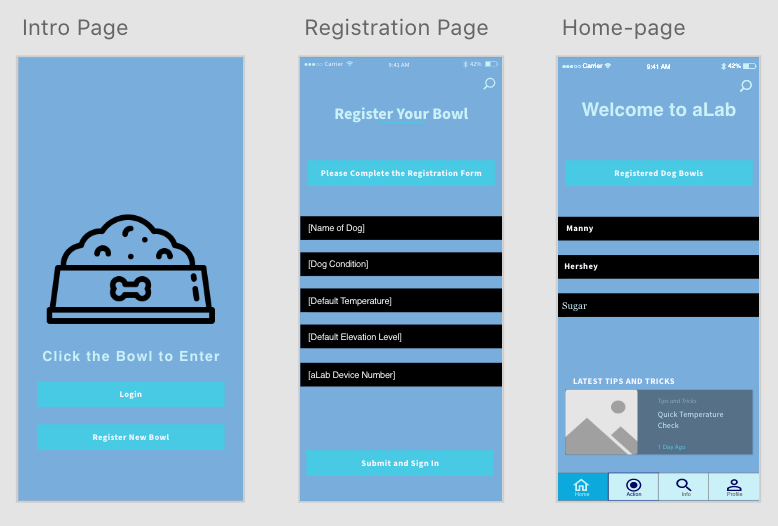
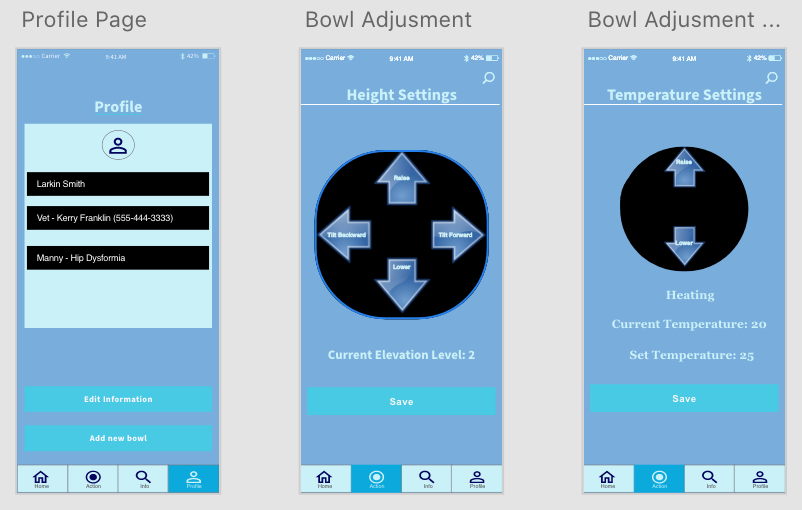
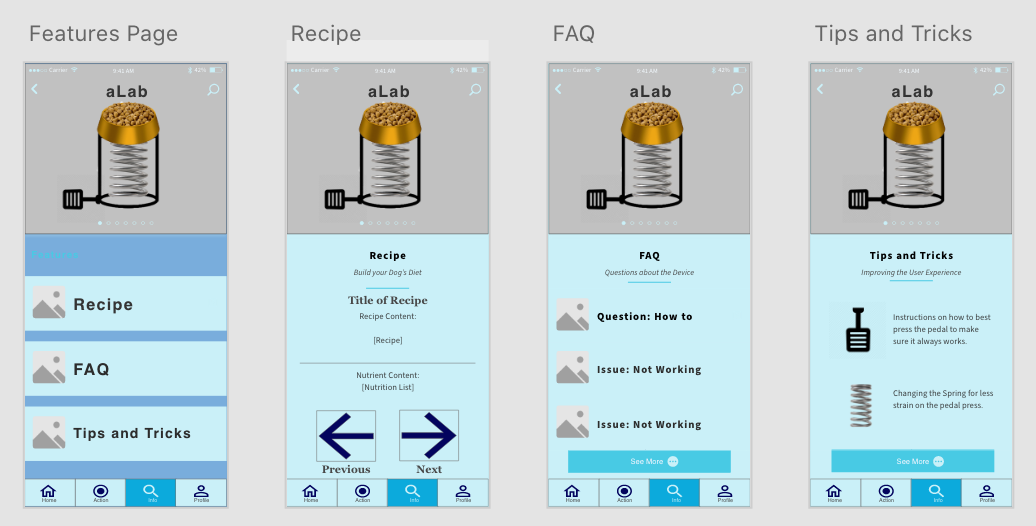
Paper → digital changes: I cut the Forum page — the app exists to complement the bowl, not to be a social network — and merged Forum and Q&A into a single FAQ. Features were made more consistent with the product's theme and redundant ones removed.
Testing & next
Usability tests surfaced three fixes for the next iteration:
- Navigation consistency. We used different arrow styles for page navigation and for controlling the bowl; testers wanted one visual language.
- Formatting & overlap. The nav ribbon was missing links on some pages, and FAQ / Tips & Tricks overlapped enough that they should be one page. Fix: a prototype test schedule that verifies every button is wired.
- No physical prototype. Testers unfamiliar with Adobe XD struggled to picture what the app was controlling. A physical model beside the app would have grounded every task.